
DG Club for PC: Browser Access and Desktop Compatibility Guide
DG Club for PC can mean several things: opening a website on a computer, installing a claimed Windows application or trying to run an Android package through additional software. Each route has different requirements and needs its own source checks.
A native DG Club desktop release, supported Windows version and confirmed browser-compatibility list have not been established for this guide. The information below helps you assess desktop claims and troubleshoot existing-account access without inventing system requirements.
For readers in India, the prohibition on online money gaming services remains relevant on a computer as well as a phone. A larger screen or different browser does not establish that a service is lawfully available.
Browser Access and a Desktop App Are Different
A service can have a website without publishing a Windows application. A desktop icon may simply open that website, while a downloaded installer introduces software that needs a separate publisher check.
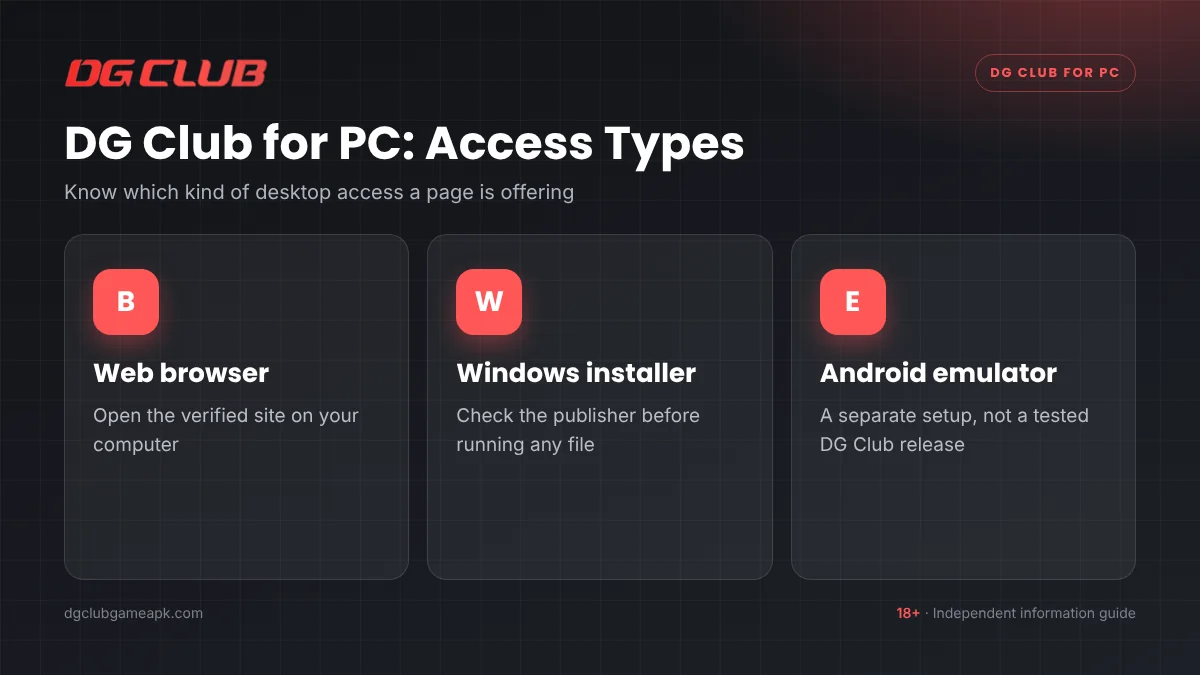
Read the actual offer before clicking a “DG Club PC download” button. If the page supplies an Android APK, it has not supplied a native Windows program. If it supplies an installer, ask who signed or published it and how that publisher relates to the operator.
Do not infer authenticity from a file extension. An EXE filename, app icon or familiar product name does not establish what the software will do.
What You Can Check Before Using DG Club for PC
For existing-account access to a verified, lawful service, establish the basics before making changes:
- The operating system and browser version currently in use.
- Whether the intended page loads and what error it displays.
- The operator and destination associated with the account.
- Any extensions or settings directly relevant to the failing > function.
- Whether you can recover the account if the current session ends.
No specific RAM, processor, graphics or storage requirement has been verified for DG Club for PC. General computer advice should not be turned into a product-specification table without publisher evidence.
Reviewing an Existing Account in a Browser
Open the established destination and inspect the address before supplying credentials. Check any redirect against the operator information rather than trusting a familiar page design.
Enter the identifier associated with the account. Review autofill carefully: a password manager can supply an entry saved for another website or an older account if you choose the wrong item.
After access is restored, check that the account information matches your records. Preserve the references for any disputed transaction before clearing data or changing browsers. This guide has not tested DG Club on particular browser products.
DG Club for PC Download and Emulator Claims
Claimed Windows Installers
Ask for an identifiable publisher, release information and a clear explanation of what is being installed. Stop if the download includes unrelated utilities, browser extensions or a paid activation process that was not explained beforehand.
Keep operating-system security checks enabled. An unknown support contact asking you to disable protection or grant remote access is not evidence of a genuine installation procedure.
Android Packages and Emulators
An emulator is additional software that can provide an Android environment on a computer. Its presence does not turn an unverified APK into an authentic DG Club release or guarantee compatibility.
An emulator route would require separate checks of the emulator, package, operator rules and legal availability. No tested DG Club emulator setup is established here. Do not install multiple layers of unknown software merely to investigate an account problem.
Common DG Club for PC Loading and Login Problems
The Whole Website Fails to Load
Check whether other ordinary websites work and preserve the browser’s exact error. A network failure, certificate warning and service restriction require different responses. Do not assume that an alternative domain is the correct fix.
The Page Loads but a Form Does Not Respond
Record the affected control and what happens after one submission. Duplicate tabs, outdated browser software or an extension may be relevant, but the error still needs diagnosis. Repeated clicks can make it unclear what was submitted.
Login Works but a Section Is Blank
Note the section, time and any visible message. A missing account panel is different from incorrect credentials. If a transaction is involved, keep its reference and avoid repeating the payment.
The Layout Looks Broken
Check the browser zoom and window size, and make sure the browser is updated. A desktop layout problem does not establish that the operator has released a Windows app or that an installer is required.
The Account Is Restricted
Preserve the message and ask the verified operator for the reason and review route. Changing browsers, installing an emulator or creating another account does not explain the restriction.
Cookies, Cache and Browser Settings
Browser data can affect the session you see. Before removing it, preserve relevant evidence and confirm that account recovery is available to you.
Where a site-specific cleanup is appropriate, review the browser’s controls and the description of what will be deleted. Removing cookies can sign you out and reset preferences. Avoid deleting saved passwords or unrelated records unintentionally.
If an extension appears connected to a display issue, investigate that extension individually. Do not disable the computer’s general security protection or approve broad permissions simply because someone promises smoother access.
Shared Computers and Account Privacy
Avoid saving credentials on a public or shared computer. Keep the account separate from another person’s browser profile, and review any saved-password prompt before accepting it.
Use the service’s logout control when finished and check that the account screen no longer opens without authentication. Closing a tab alone is not proof that the session ended.
Private browsing does not establish that the computer itself is trustworthy. It also does not authenticate the operator, remove a service restriction or guarantee that downloaded files leave no trace. Use a device you control for sensitive account matters where possible.
Existing Payment and Support Questions
A desktop view may make records easier to read, but changing devices does not reconcile a missing deposit or payout. Compare the actual transaction references, amounts and receiving-account records.
Keep original documents secure and redact unrelated financial details before sharing screenshots. Do not install remote-access software for an unverified agent or provide a payment PIN to someone claiming to process a refund.
For suspected unauthorized activity, contact the relevant bank or provider through its established route. Keep payment disputes separate from general questions about browser compatibility.
Frequently Asked Questions
Is there an official DG Club Windows app?
A native Windows release and authoritative publisher have not been verified for this guide. Check the actual publisher relationship and release information before trusting an installer.
Can I use the Android APK directly as a Windows program?
An APK is not a native Windows application. Running Android software involves a separate environment and additional compatibility questions; no tested DG Club setup is confirmed here.
Which browser works best for DG Club?
This guide has not tested or verified a preferred browser. Use current browser software and consult genuine service requirements rather than treating a generic recommendation as compatibility evidence.
How much RAM does DG Club for PC need?
A product-specific requirement has not been established. The answer depends on the actual software or website involved. Do not rely on an invented specification copied from another page.
Should I clear all browser data when login fails?
Start by preserving the error and checking credentials and destination. If a targeted cleanup becomes appropriate, understand its effect and keep recovery information before removing data.
Will a different computer release a pending withdrawal?
A device change does not establish a payout or resolve an operator’s review. Preserve the request reference and ask for the status explanation or traceable payout details.
Keep DG Club for PC Access Simple and Verifiable
Identify the destination, distinguish a website from installed software and preserve account records before troubleshooting. A verified source and a clear error message provide a better basis for action than an untested installer or a promise of guaranteed compatibility.