
DG Club for iOS: iPhone App Availability and Browser Help
Searching for DG Club for iOS can lead to Android files, mobile websites and pages advertising an iPhone app. Those are different forms of access. Before downloading anything, establish what the page actually offers and who is responsible for it.
This guide has not verified a native DG Club iPhone release, an authoritative app listing or a supported iOS version. It explains how to assess those claims and approach browser or existing-account problems without assuming that a genuine app exists.
Indian readers should also consider the prohibition on online money gaming services and related promotion. An iPhone app, browser page or shortcut does not establish lawful availability or remove a service restriction.
Can You Install a DG Club APK on an iPhone?
An Android APK is not an iPhone application. Renaming the file, saving it to the Files app or opening it from a browser does not turn it into compatible iOS software.
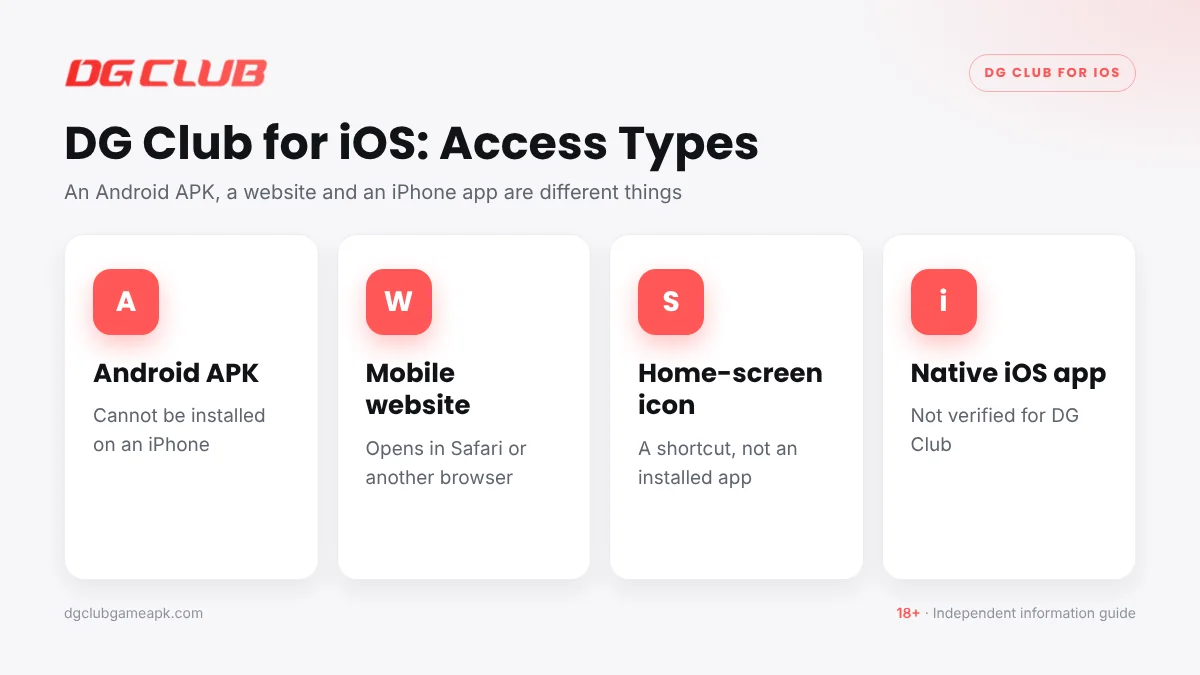
A download page using the phrase “iOS APK” leaves an important question unanswered: what is the actual file and how is it intended to work? Check the format, publisher and distribution details before accepting the claim.
Do not pay someone to convert an APK into a guaranteed working iPhone version. The promise does not establish a compatible release, a legitimate publisher or access to your existing account.
Check DG Club for iOS App Claims
A genuine release needs an identifiable publisher and a verifiable relationship with the service. Review the listing or distribution information, release details and privacy disclosures rather than relying on an app icon.
Useful questions include:
- Does the publisher match the operator named in the service terms?
- Is the distribution method clearly explained and appropriate for the > device?
- Are version information and compatibility requirements available?
- Does the app description match the service you actually used?
- Are privacy and support details connected to the same business?
This guide cannot supply a confirmed DG Club App Store listing, native version number or minimum iOS requirement. Those details should remain unclaimed until they can be established.
Browser Access Is a Separate Question
An iPhone can display websites through a browser, but that does not confirm that a particular DG Club service is compatible or lawful to access. The website itself needs to support the relevant device and functions.
For existing-account information on a verified, lawful service, check the destination before entering credentials. If a page sends you to another domain, establish the reason before continuing.
A page that looks like an app may still be a website. Its appearance does not prove that it has passed an app-store review or that its account and payment functions work correctly.
Home-Screen Shortcuts on iPhone
Safari offers a way to add a website to the Home Screen. Depending on the website and iOS version, the result can behave as a shortcut or web app. It does not establish a native DG Club for iOS release.
For a website you have verified and may lawfully use, the general process is:
- Open the intended page in Safari and check the address.
- Open Safari’s sharing or page-actions menu.
- Choose Add to Home Screen, where available.
- Review the name and destination before adding it.
- Check the destination again when opening the new icon.
The menu arrangement can differ by iOS version. A saved icon does not fix a broken site, verify an operator or preserve a permanent login. Removing the icon also does not necessarily close an account.
DG Club for iOS: Existing-Account Login on iPhone
Use the identifier associated with your existing account and inspect any information supplied by autofill. Similar names can lead to a password saved for the wrong website being inserted into a form.
If a verification code is required, enter it only in the verified process you initiated. Do not send the code to a messaging contact who says they will complete login or activate iPhone support.
Before changing browser data, preserve the current error, account identifier and any relevant transaction references. An access problem and a missing-balance problem may need separate reviews.
Common DG Club for iOS Problems
The Page Is Blank or Stops Loading
Check whether other ordinary websites load and whether the problem occurs consistently on the intended page. Record the time and what remains visible. Keep the browser and iOS updated through their established update processes.
Login Returns to the Same Screen
Check the credentials and any error before retrying. Site data or browser settings may be relevant, but this guide has not tested the service’s compatibility. Do not assume that a new account is needed.
The Keyboard Hides a Button
Try closing the keyboard and checking the page layout. A layout problem does not mean the account form was accepted or rejected. Avoid submitting repeatedly without knowing whether a response was received.
A Shortcut Opens the Wrong Page
Compare its destination with the service information in your records. Do not enter credentials into an unfamiliar destination. A shortcut’s display name can remain familiar even when the website redirects elsewhere.
A Page Requests an Unknown Profile
Do not install a profile or approve device-management changes merely because a page calls them necessary for DG Club. Establish the source and purpose independently. An unexplained installation request is not proof of an iOS app.
Cookies, Saved Data and Privacy
Changing browser data can affect sessions and preferences. Before clearing information, confirm that you can recover the account and that important records are preserved elsewhere.
Use a narrow change where possible rather than deleting unrelated history, passwords and files. Read the browser’s description of what will be removed. Keep screenshots containing payment details in a protected location and redact them before public sharing.
Review any requested notification or other website permissions separately. Access to an account does not mean every optional permission is necessary or appropriate.
Payment Problems Are Not Solved by Device Changes
If an existing payment is missing, switching from Android to iPhone does not establish whether the operator received it. Compare the actual payment reference with the account history.
Similarly, a withdrawal marked completed requires a receiving-account check and, where available, a payout reference. Do not approve a new payment or share an OTP because someone says iPhone verification will release earlier funds.
Frequently Asked Questions
Is there an official DG Club iPhone app?
This guide has not verified a native iPhone release or an authoritative listing. Check the publisher, operator relationship and distribution details before trusting an app claim.
Why will the DG Club APK not open on my iPhone?
An APK is designed for Android and is not an iOS application. Saving the file or changing its name does not make it compatible with an iPhone.
Is a home-screen icon the same as an installed iOS app?
No. It can represent a website shortcut or web app. The icon does not establish a native release, verified publisher or confirmed compatibility with all account functions.
What iOS version does DG Club require?
A supported version has not been confirmed. Avoid quoting a minimum requirement without evidence from the actual publisher or verified service documentation.
Will clearing Safari data fix login?
It may change a local session problem, but it is not a guaranteed solution. Preserve evidence and recovery information first, then understand exactly what data will be removed.
Can changing phones restore a missing payment?
A different phone does not reconcile payment records. Keep the reference, date and amount, compare the account history, and raise the specific issue through a verified complaint route.
DG Club for iOS: Identify the Type of Access First
Determine whether you are looking at a native release, a website or a saved shortcut. Then verify the publisher or operator and the lawful service scope. Avoid treating an Android file or familiar icon as proof of a working iPhone application.